For grandMA3 operators

See your show's cues, in big readable type.

A live, low-latency current / previous / next cue display for iPhone and iPad — driven by your grandMA3 console over Wi-Fi.
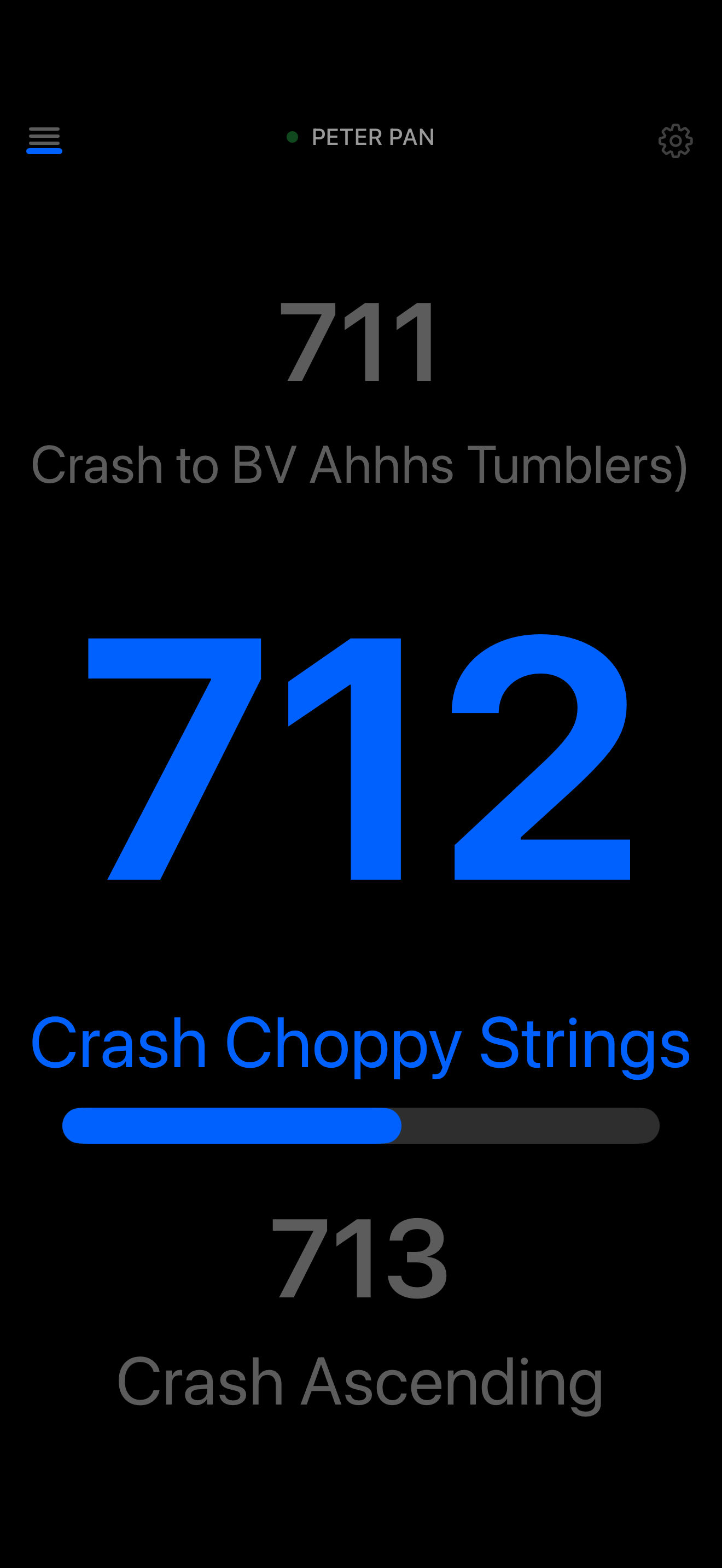
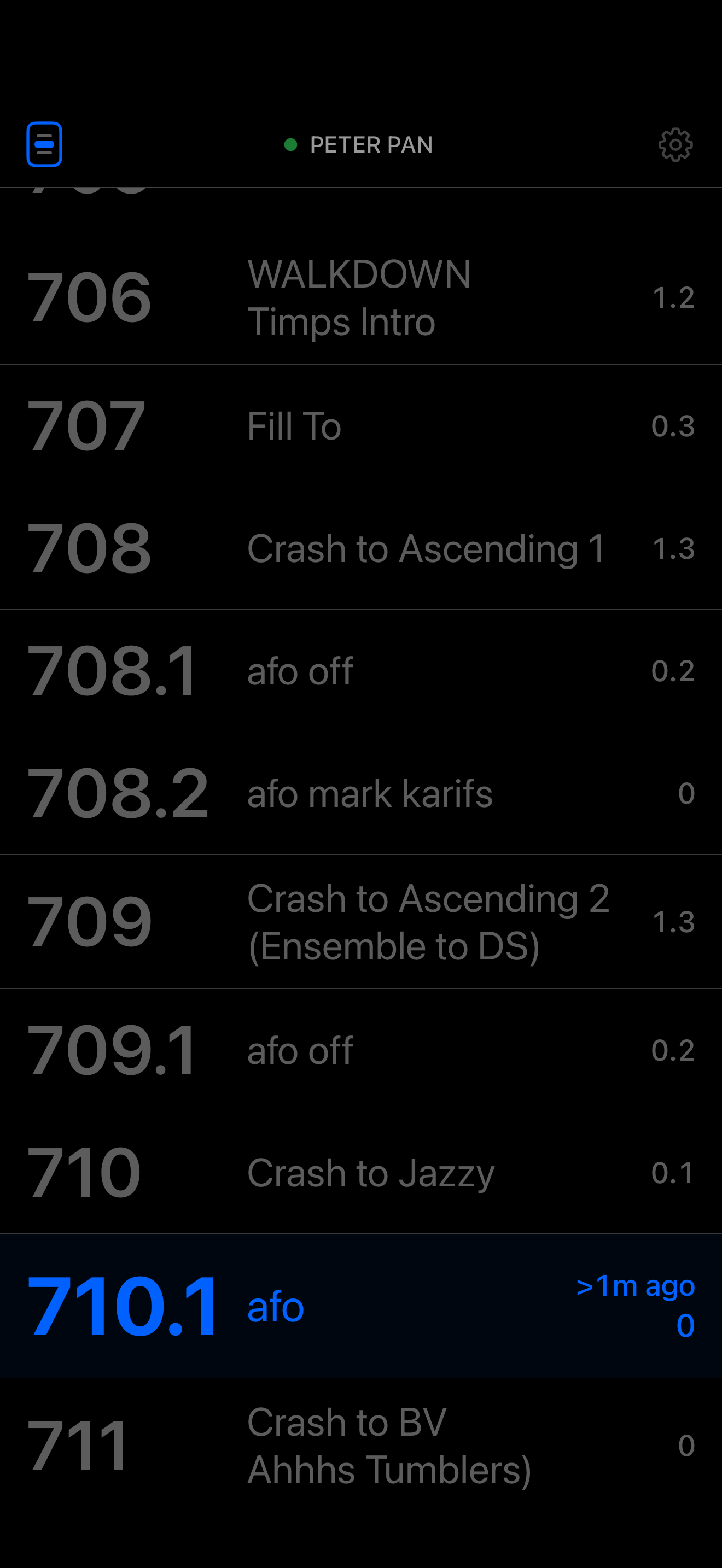
CueView running on iPhone in portrait, showing the current cue in large white type on a black background. CueView's cue history view on iPhone, with the live cue pinned at the bottom of a scrollable list of past cues.

Mount an iPad on your desk and see your show's current, previous, and next cue in big, readable type — fed live from your grandMA3 console over Wi-Fi.

Designed for situations where the console's own monitors aren't ideally placed for the operator or production team — a stand-mounted iPad becomes a dedicated cue display that anyone in the room can glance at.

Open the app, point it at your console's IP address, and it tracks playback in real time. Swipe up on the live display to see every cue that's fired during the session, with timings and a progress bar so you can see exactly where each transition is. When Wi-Fi blips or your iPad sleeps, it reconnects on its own. No accounts, no cloud, no telemetry.

Live cue tracking

Sub-second updates as you go.

Fade & delay timings

See each cue's in/out times and a progress bar of the transition, live.

Scrollable history

Swipe up to review every cue fired during the session, with elapsed time.

Auto-reconnect

Survives Wi-Fi drops, device sleep, and console reboots.

How it works

  1. Drop a small Lua plugin onto your MA3 console.
  2. Install the iOS app from the App Store.
  3. Enter the console's IP — done.

About the price

The app is £9.99 as a one-off purchase. No subscription, no in-app purchases, no ads. Updates are free for the life of the app.

Screenshots

CueView's live cue display on iPhone: previous, current, and next cue in big readable type, with fade and delay timings and a progress bar underneath the current cue.
CueView's cue history view on iPhone: a scrollable list of cues fired during the session, with the live cue pinned at the bottom.
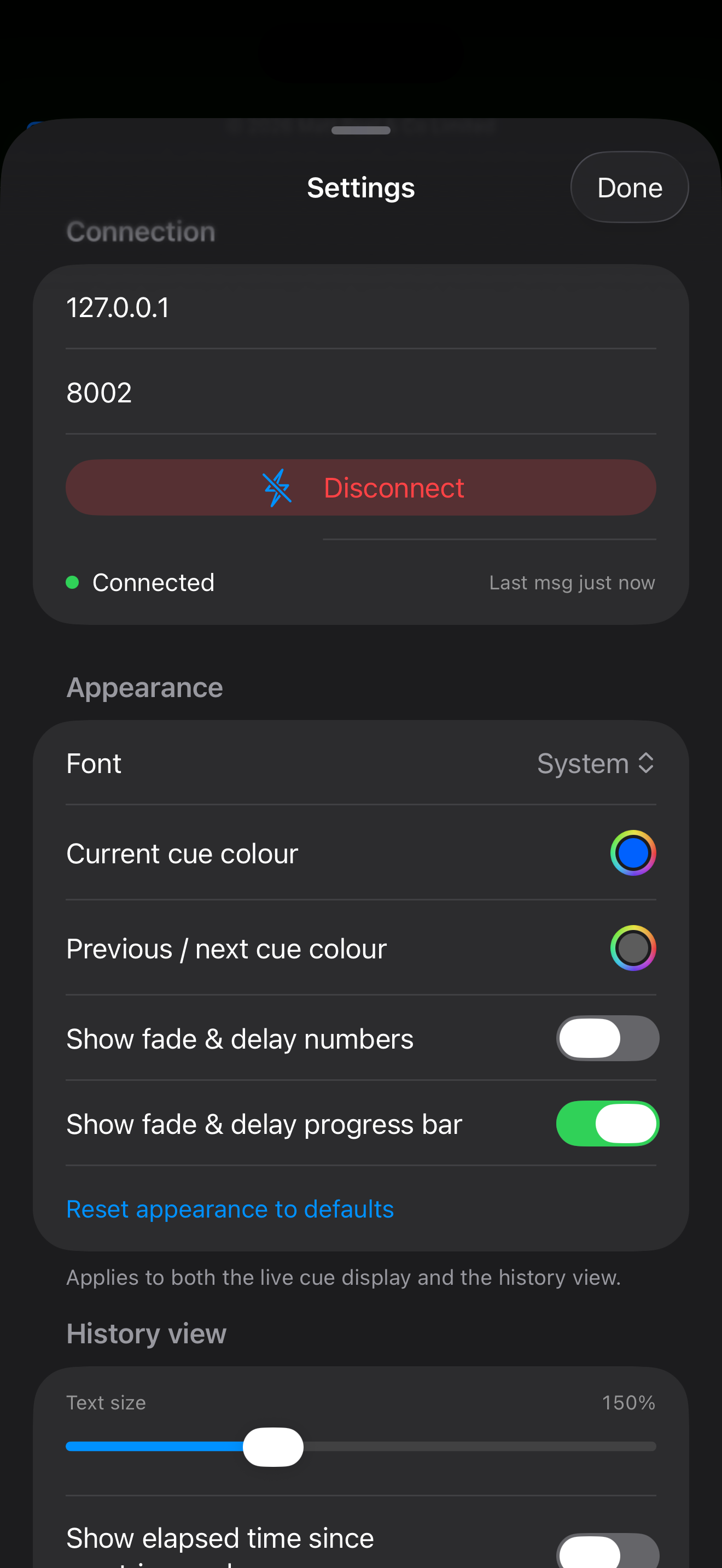
CueView's Settings sheet on iPhone, with controls for font, colours, sizes, spacing, and what timing information to display.